Imitation-learning-based Grasping Example - V1.2
Description
Reference Packages:
This guide, based on the reference packages, resolves some compilation and configuration issues.
- Compatible Models:Walker Tienkung · Embodied Intelligence (Pro)
- Operating System: Ubuntu 22.04 (x86)
- Recommended GPU: Nvidia RTX 30 series and above, 16GB+ VRAM
- Minimum System Configuration: 512GB disk, 16GB RAM
- Note: If git or other resource downloads are slow, it is recommended to use a proxy
Software Package Structure
Place the downloaded software package in the location corresponding to the ~/GTM/ directory.
 GTM
  ├── 📂 dataset/                              # dataset
  ├── 📂 soft/                                 # Software packages
  │   ├── 📜 x-humanoid-training-toolchain.zip  # training package
Part I: Basic Software
1. CUDA
Install CUDA.
It is recommended to first correctly install the latest Nvidia driver, then use nvidia-smi to check the CUDA version compatible with the driver, and select the corresponding CUDA Toolkit download from https://developer.nvidia.com/cuda-toolkit-archive. This example uses CUDA version 12.8.
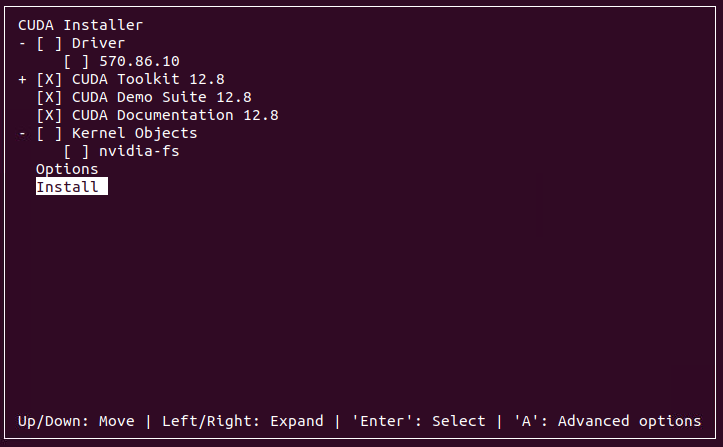
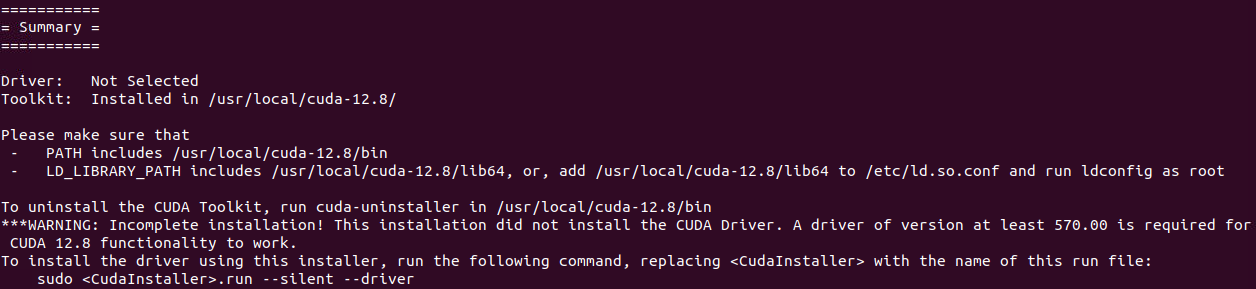
cd ~/GTM/soft
wget https://developer.download.nvidia.com/compute/cuda/12.8.0/local_installers/cuda_12.8.0_570.86.10_linux.run
sudo sh cuda_12.8.0_570.86.10_linux.run
# Set environment variables in ~/.bashrc
echo 'export PATH=/usr/local/cuda/bin:$PATH' >> ~/.bashrc
echo 'export LD_LIBRARY_PATH=/usr/local/cuda/lib64:$LD_LIBRARY_PATH' >> ~/.bashrc
# Apply changes immediately
source ~/.bashrc
2. Conda
Install Miniconda, keep selecting yes to complete the installation.
cd ~/GTM/soft
wget https://repo.anaconda.com/miniconda/Miniconda3-latest-Linux-x86_64.sh
bash ./Miniconda3-latest-Linux-x86_64.sh
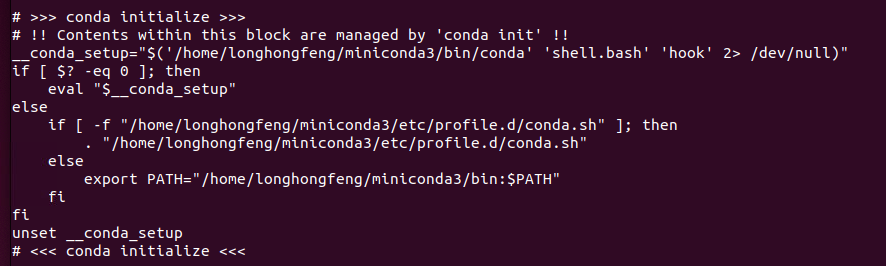
Note: Once installed, check if conda environment variables are set in the .bashrc file.
cat ~/.bashrc
Part II: Training & Deployment
1. Extract Code
cd ~/GTM/soft/
unzip x-humanoid-training-toolchain.zip
2. Environment Installation
warning
cu128in the URL must match your CUDA version.- All subsequent commands require activating the env_vla environment with conda activate env_vla to run properly.
cd ~/GTM/soft/x-humanoid-training-toolchain
sudo apt install ffmpeg
conda create -n env_vla python=3.10
conda activate env_vla
pip install -e .
pip install -U --index-url https://mirrors.nju.edu.cn/pytorch/whl/cu128/ torchcodec
3. Dataset Conversion
cd ~/GTM/soft/x-humanoid-training-toolchain/scripts/
./convert.sh
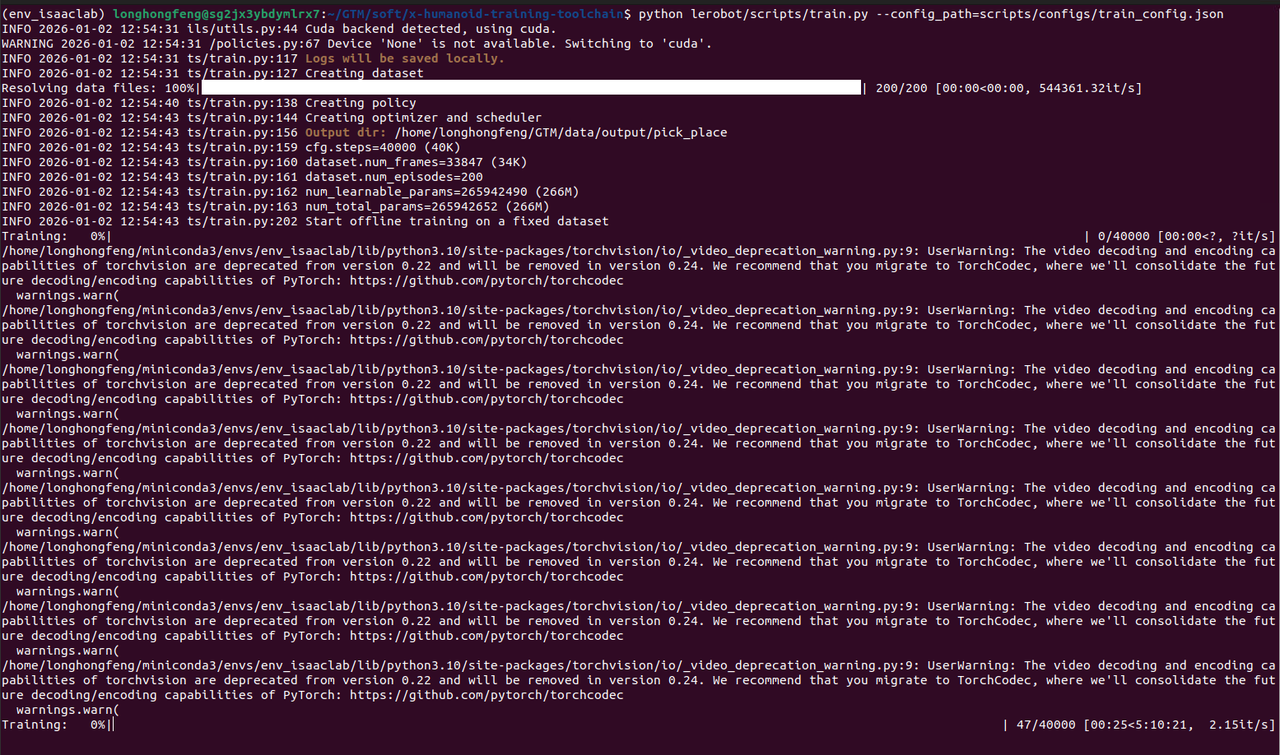
4. Training
cd ~/GTM/soft/x-humanoid-training-toolchain
sed -i "s/\[username\]/$USER/g" scripts/configs/train_config.json
python lerobot/scripts/train.py --config_path=scripts/configs/train_config.json
5. Deployment
- The
~/GTM/soft/x-humanoid-training-toolchain/deploymentfolder contains the execution entry point. Read the readme.md file carefully for the corresponding operations - The trained model is located in
~/GTM/data/output/pick_place/checkpoints/ - Install the project dependencies on the robot's Orin board. After running the camera program, execute the program under the robot's upper-body motion control mode. Note that the robot's camera field of view and desktop height must be consistent with the training data.