4. Product Overview
4.1 Product Introduction
-
Walker Tienkung series robots are full-size, pure electric-driven humanoid running robots jointly developed by Shenzhen UBTECH Robotics Corp., Ltd. and Beijing Institute of Humanoid Robot Innovation Co., Ltd. They feature a highly biomimetic torso structure and anthropomorphic motion control capabilities. The maximum degrees of freedom can reach 42, with the dual arms adopting a seven-degree-of-freedom mechanical arm design. The wrist can be equipped with a high-precision six-axis force sensor, and can be equipped with dexterous five-finger dual hands.
-
Walker Tienkung series robots can achieve standing, walking, running, and multiple specific actions, and can stably adapt to complex terrains such as slopes and sand, with excellent dynamic balance and anti-interference capabilities. Equipped with powerful joint drives, high-precision IMU, and dual-battery quick-change system, the overall endurance time exceeds 3.5 hours.
-
In addition, Walker Tienkung·Voice & Vision and Walker Tienkung·Embodied Intelligence can integrate voice modules and voice interaction large language models, supporting natural language interaction, with the overall computing power reaching up to 550 TOPS.
-
As a general humanoid robot platform, the Walker Tienkung series opens all body joints and sensor interfaces, facilitating industry secondary development to achieve innovation in scientific research and education applications.
4.2 Functional Features
-
Complex Terrain Adaptation: Can move smoothly on irregular terrain such as slopes and sand;
-
Anthropomorphic Running: Has running capability;
-
Dynamic Balance Control: Can resist external interference in real-time and maintain posture stability;
-
Motion Control Mode: Reinforcement learning motion control mode has been deployed;
-
Voice Interaction Control: Equipped with voice module and supports users to deploy voice large language models to achieve natural voice commands and interaction;
-
Open Interface Design: Provides full-body joint and sensor interfaces, supporting teleoperation, data acquisition, and secondary development.
4.3 Application Scenarios
This product is designed for scientific research and educational scenarios.
Precautions:
-
Users can explore other application scenarios through secondary development, but need to ensure compliance with applicable laws, regulations, safety requirements, and other necessary qualifications in those scenarios;
-
Any use beyond scientific research and educational purposes, related responsibilities are borne by the user;
-
It is forbidden to directly use the original factory configuration product in unprotected public places or high-risk environments such as rescue or medical care.
4.4 Product Composition
4.4.1 Robot Component Description
4.4.1.1 Walker Tienkung
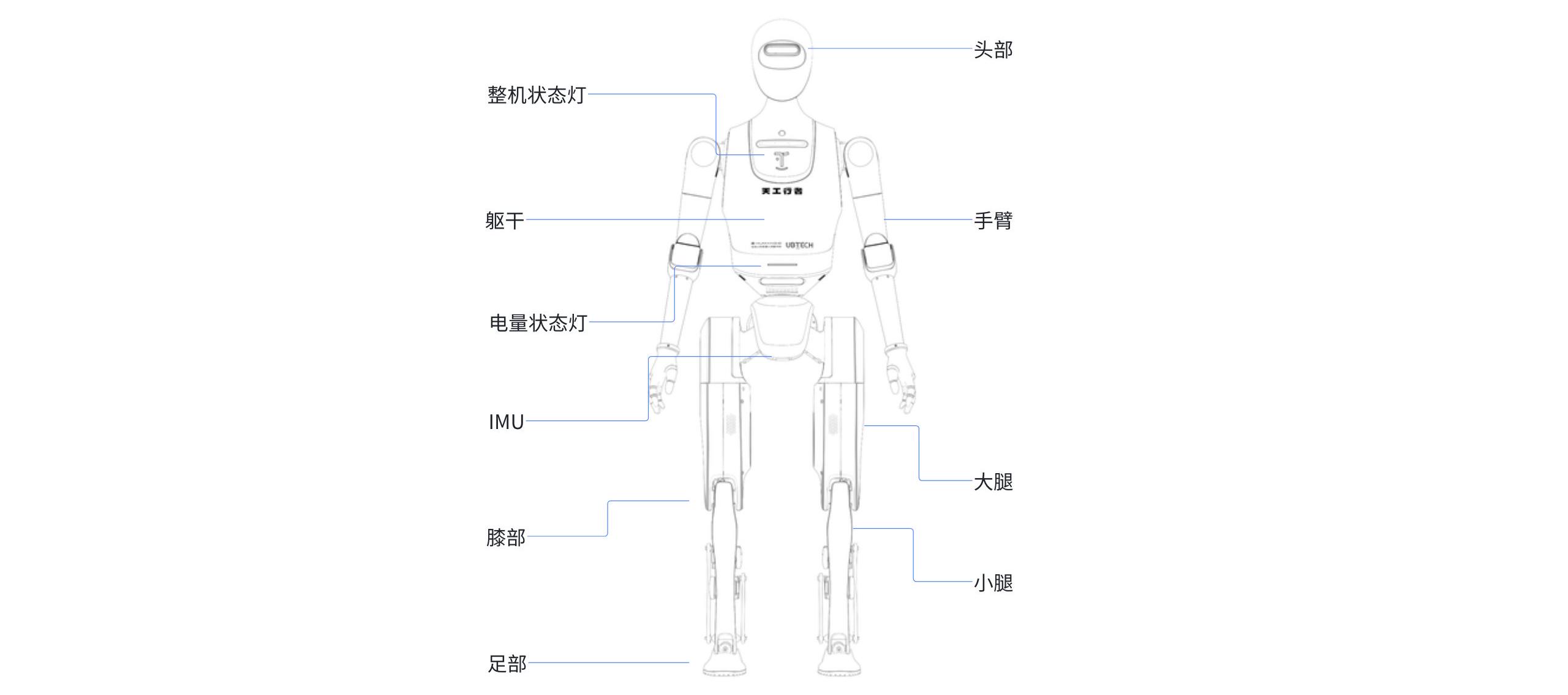
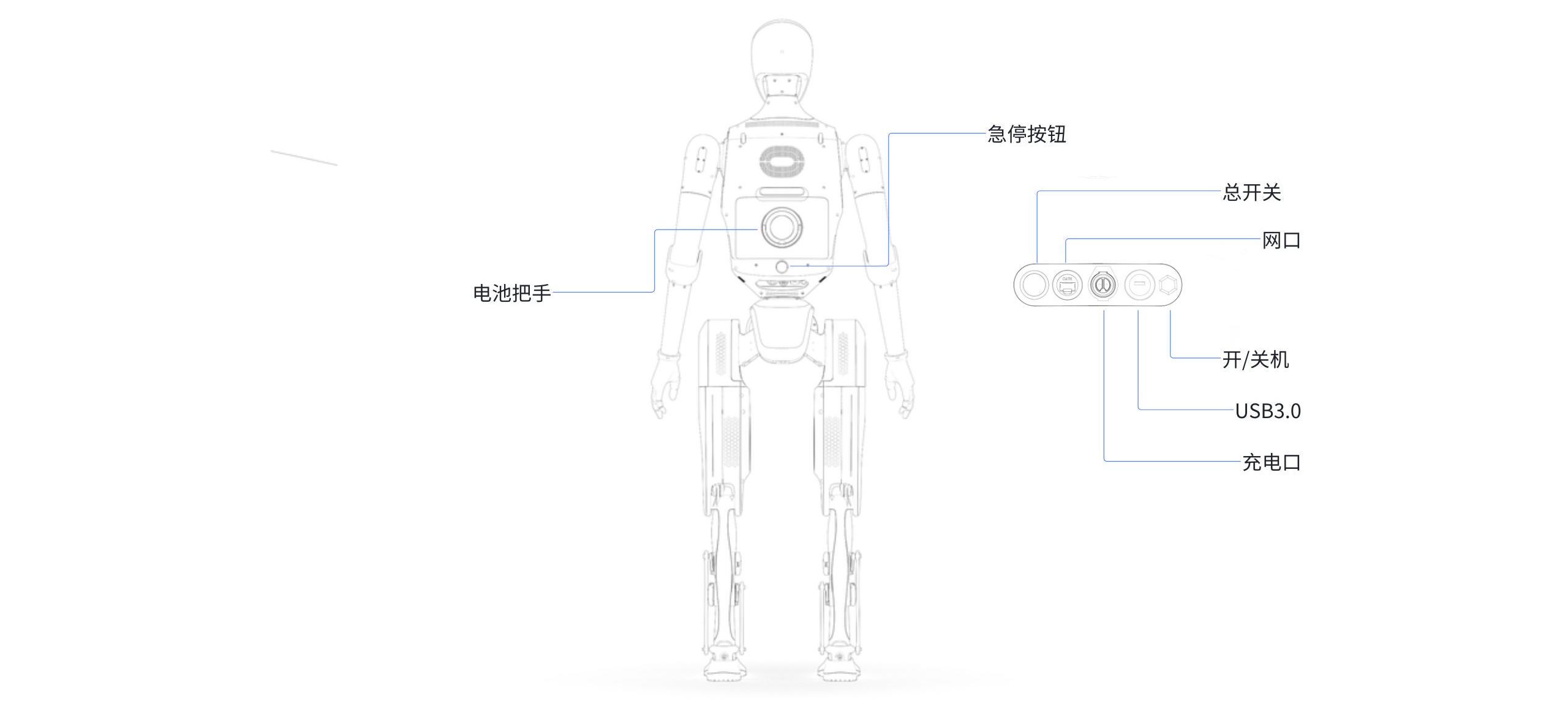
4.4.1.2 Walker Tienkung·Voice & Vision
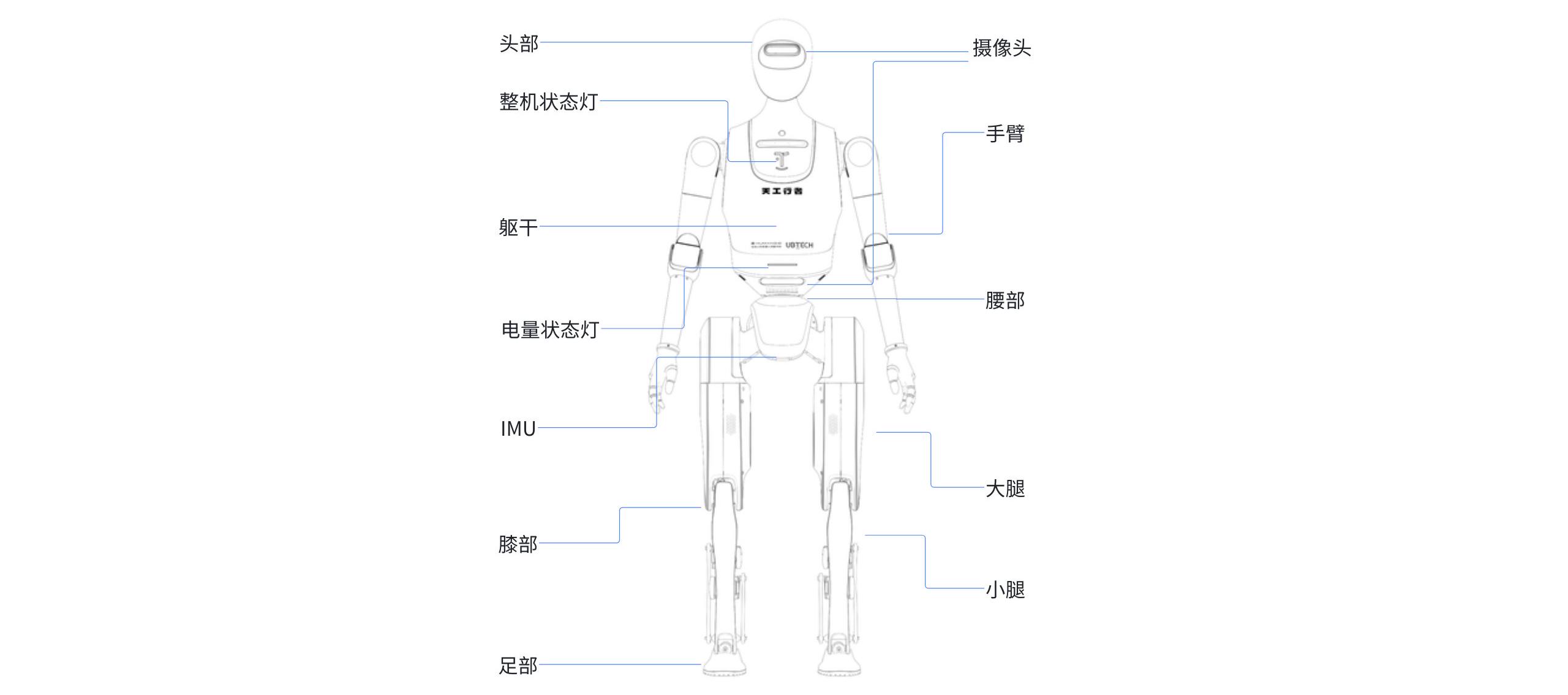
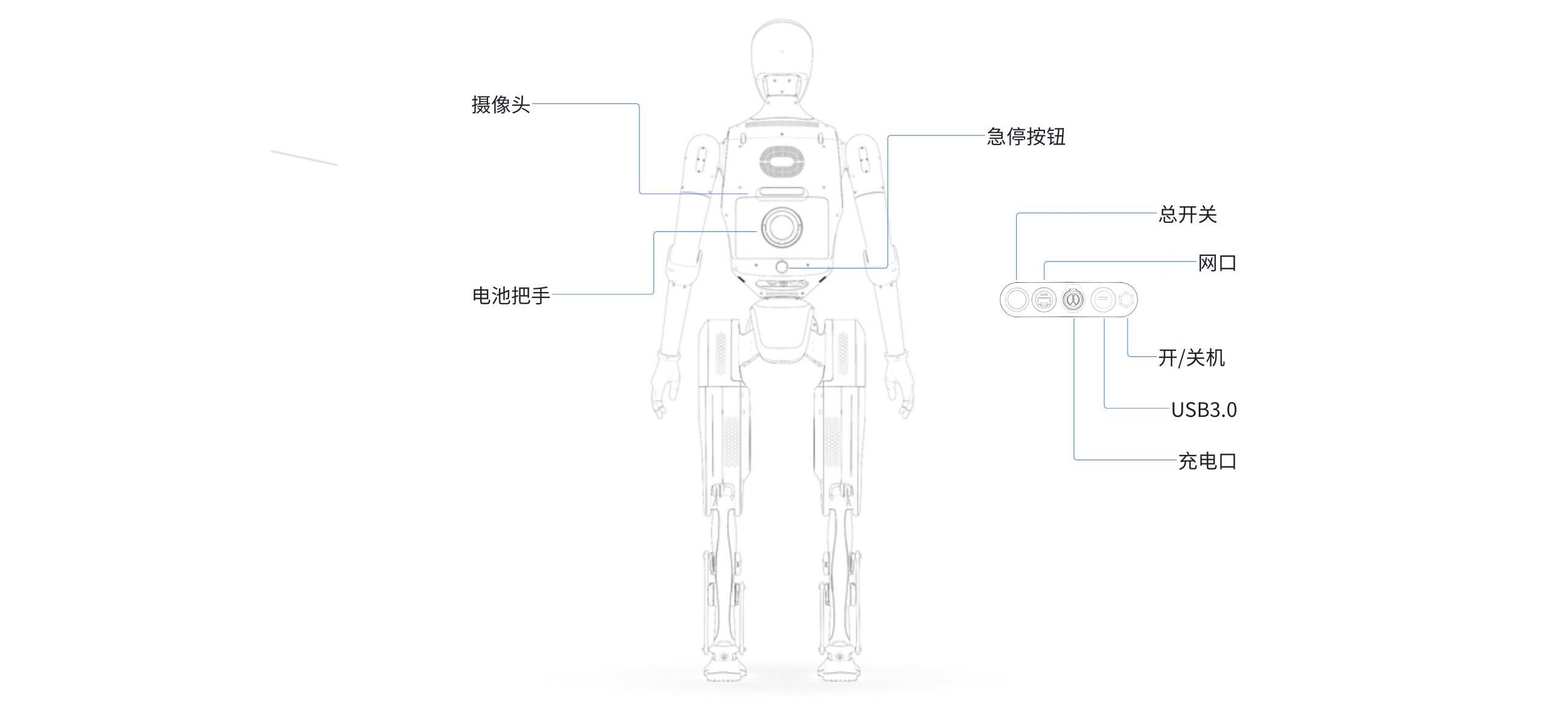
4.4.1.3 Walker Tienkung·Embodied Intelligence
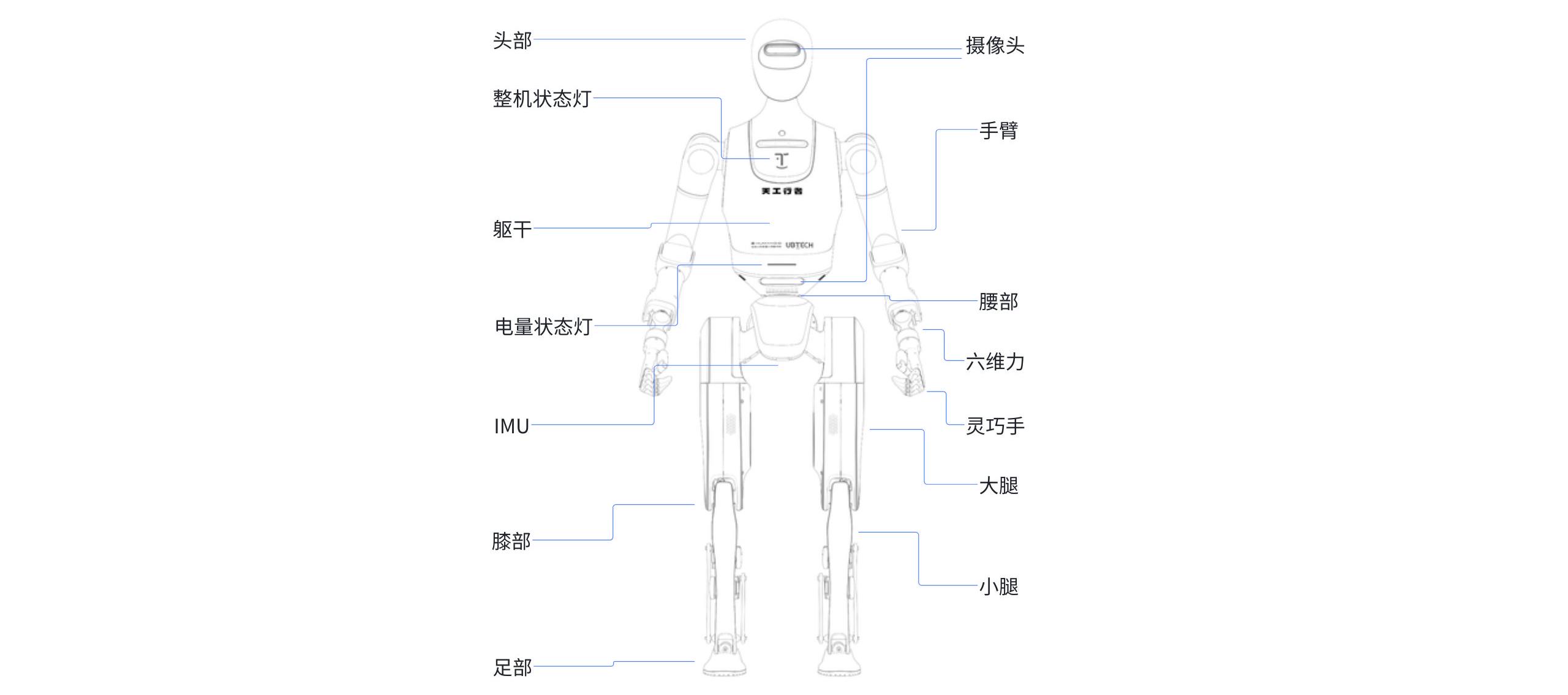
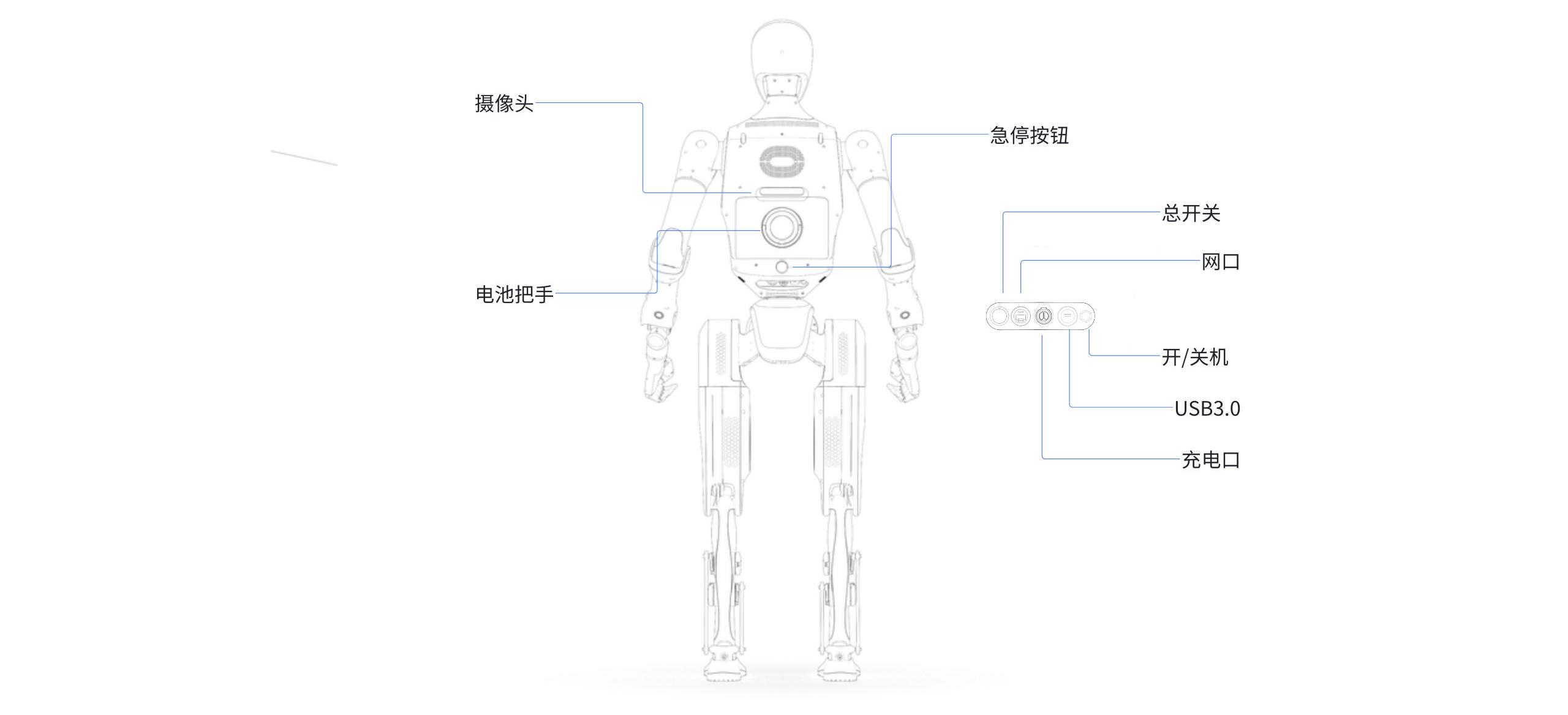
4.4.2 Remote Control Description
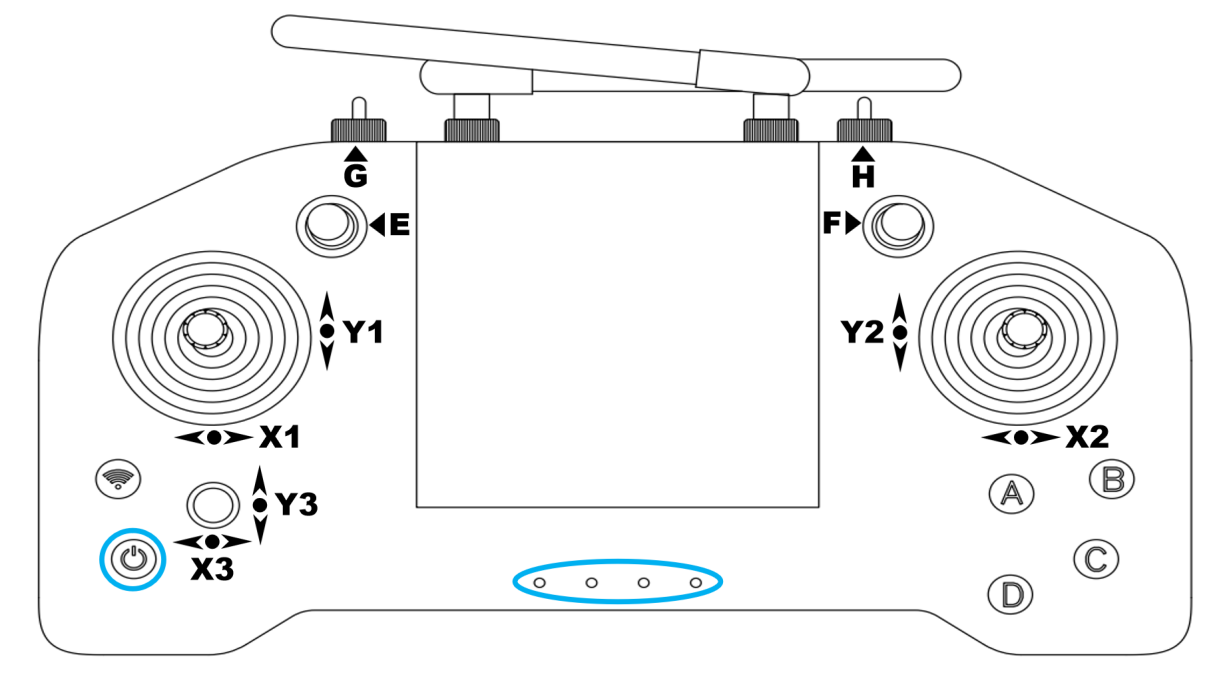
Remote Control Button Diagram
Joystick Function Description
| Joystick | Function Location | Gear Meaning |
|---|---|---|
| G | Machine-wide operation and emergency stop switch | Left: Customer-defined business mode (reserved) Middle: Standard operation mode (default) Right + C: Joint disable |
| E | Function mode selection | Up: Customer-defined navigation mode (reserved) Middle: Standard action control mode (default) Down: Customer-defined business mode (reserved) |
| F | Button function switch | Up: Voice broadcast Middle: Action control (default) Down: Half-body control mode (reserved) |
| H | Motion mode switch | Left: Walking mode Middle: Standing mode (default) Right: Running mode (reinforcement learning only) |
| Function | Button | Notes |
|---|---|---|
| Zero | D | |
| Stiffen | C | |
| cmd_vel control mode | E - move up joystick | |
| Stand | H - move middle joystick + long press A | Cannot directly enter standing from running, need to switch to walking first |
| Walk | H - move left joystick - return joystick to middle | |
| Run | H - move right joystick - return joystick to middle | |
| Specific actions | Press in the following order, cycle through actions: wave, shake hands, bow, dance 1, dance 2; B: Press continuously to determine the action number, default action is wave after motion control service starts; Cannot input action numbers during action execution. A: Short press A to confirm execution. When a specific action is executed continuously 3 times, adjust the robot to walk and then enter standing to restore normal gait before performing actions again. | |
| Speech broadcast | F-move up joystick B: Press continuously to determine audio number A: Short press A to confirm audio playback D: Short press D to stop playback | |
| Left and right movement | X1 - Left joystick: left and right | |
| Forward and backward movement | Y1 - Left joystick: up and down | |
| Clockwise/counterclockwise rotation | X2 - Right joystick: right left | |
| Joint disable | G - move right joystick + C |